Ahold Delhaize USA · Universal Design System
One design system for five grocery brands, on every platform
As the lead UI designer on Ahold Delhaize's Universal Design System, I built the components that five grocery brands share across web, iOS and Android. Each one is designed once, documented and themed for every brand.
Brands
In production
Live on Stop & Shop, desktop and mobile
The system shows up wherever shoppers do: planning the week's groceries on a laptop, or checking a sale on their phone in the aisle.

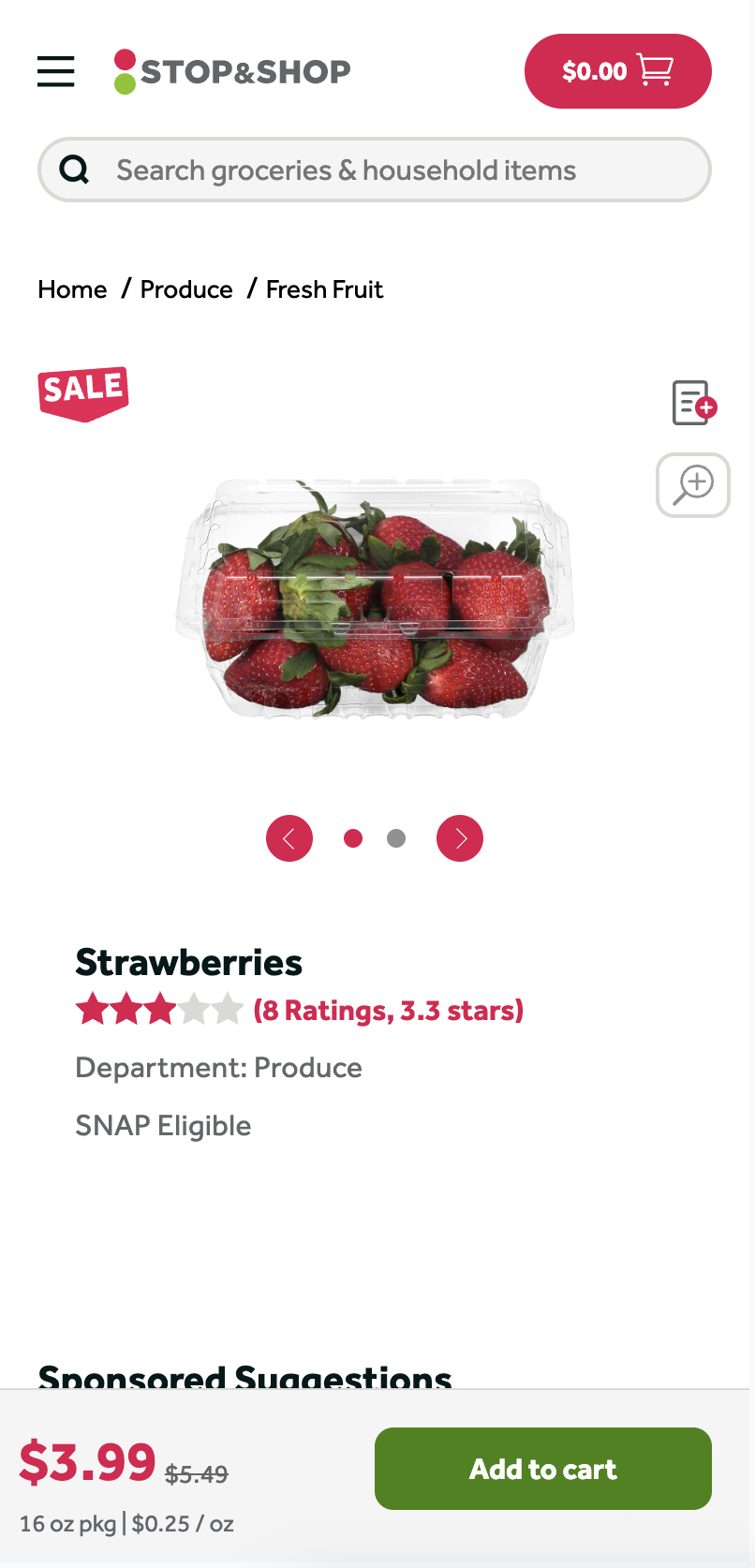
stopandshop.com on desktop (homepage) and mobile web (product page)
Product components
The UDS components in these screens, including the desktop header, Base Button, price component and breadcrumbs, share the same structure and accessibility rules on every screen.
CMS components
The system also covers CMS components: content modules, like the promotional hero carousel and category navigation, that marketing teams can assemble and update without waiting on a code release.
Impact so far
New CMS
Integrated with new and improved templates: visually enhanced, with accessibility issues fixed
37
Components in the library, organized into 6 categories
5
Grocery brands themed from each component
01
The problem
Ahold Delhaize USA runs five grocery brands, each with its own look. Each brand and platform had grown its own set of components. The same button could look and behave differently from one app to the next, and teams kept rebuilding basics instead of shipping features.
The goal: one universal library, built on Material Design foundations and WCAG standards, that every brand and platform can share.
02
How I build components
03
Library structure
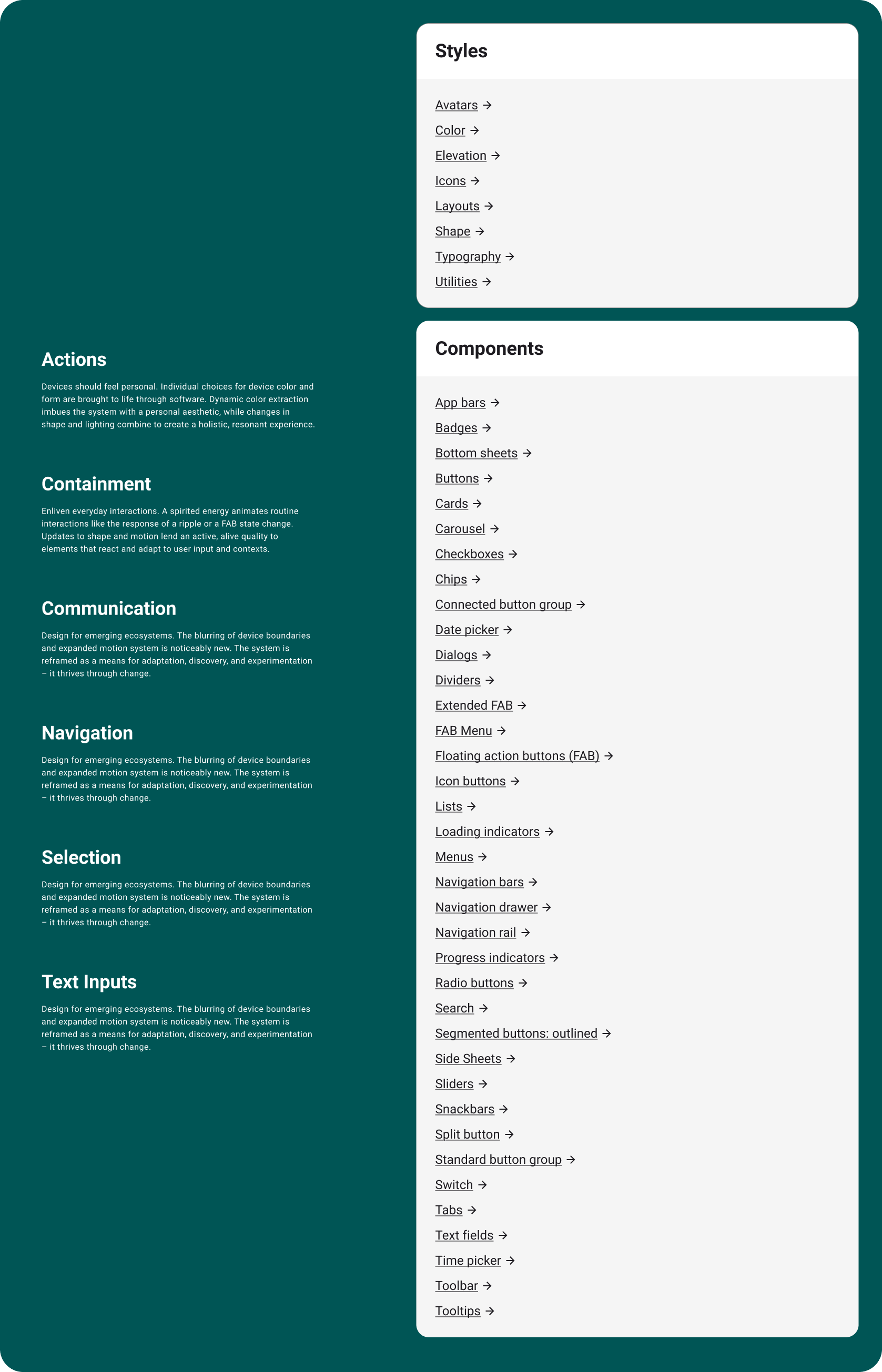
The library is organized the way designers look for things: foundations first, then components grouped by what they help people do.
8
Style foundations
Avatars, color, elevation, icons, layouts, shape, typography and utilities.
37
Components in 6 categories
Actions, containment, communication, navigation, selection and text inputs.
04
One component, five brands
Every component I build is designed once, then themed for each brand: Stop & Shop, Food Lion, Hannaford, Giant and The GIANT Company. Structure, behavior and accessibility stay identical; only the brand layer changes
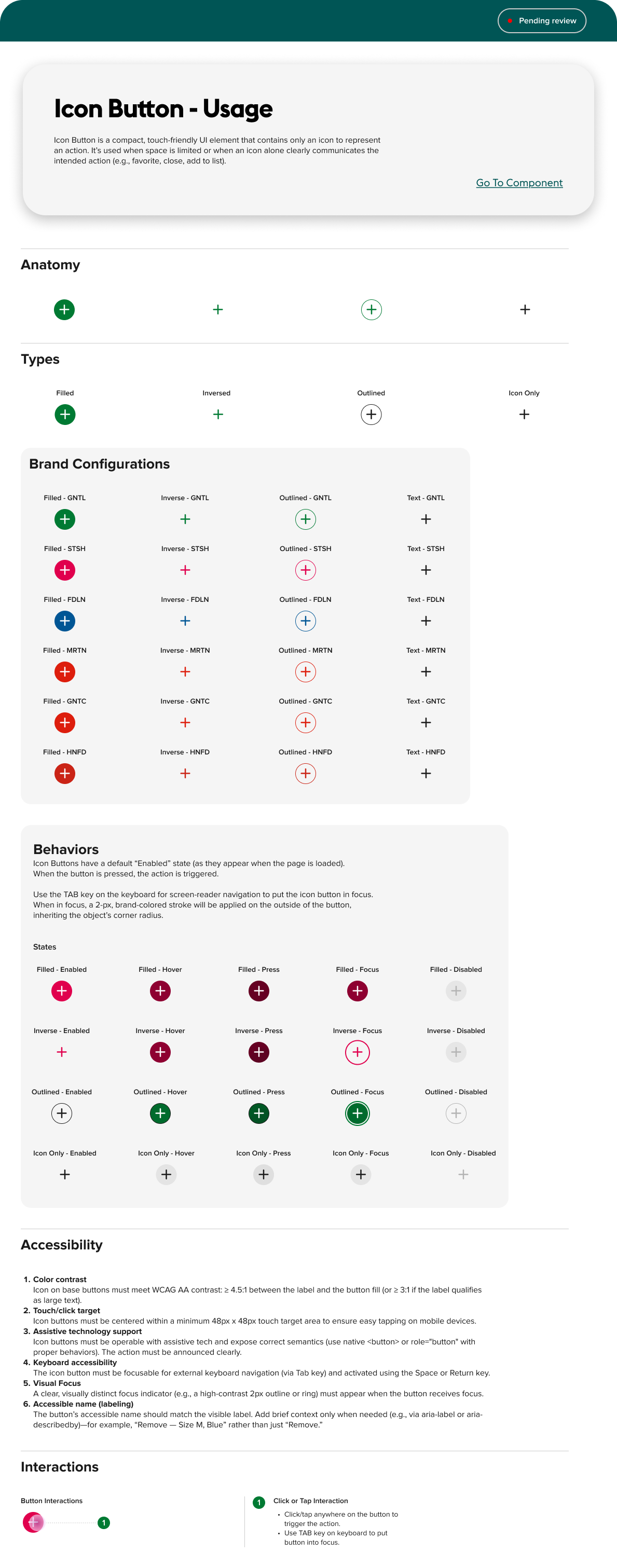
Icon Button: four types, a theme for each brand, and every interaction state.
05
Design tokens
Design tokens are what let one component serve five brands. Components never use a raw hex value or pixel radius. They point to named tokens, and each brand supplies its own values.
1 · Brand values
Each brand's palette, type and corner radius. Stop & Shop gets a rounded pill; other brands keep square corners.
2 · Semantic tokens
Named for their job rather than their value, like a primary action color or a focus ring, so one name works for every brand.
3 · Components
Buttons, quantity selectors and CMS modules reference semantic tokens only, so they re-theme automatically.
06
Component deep dive
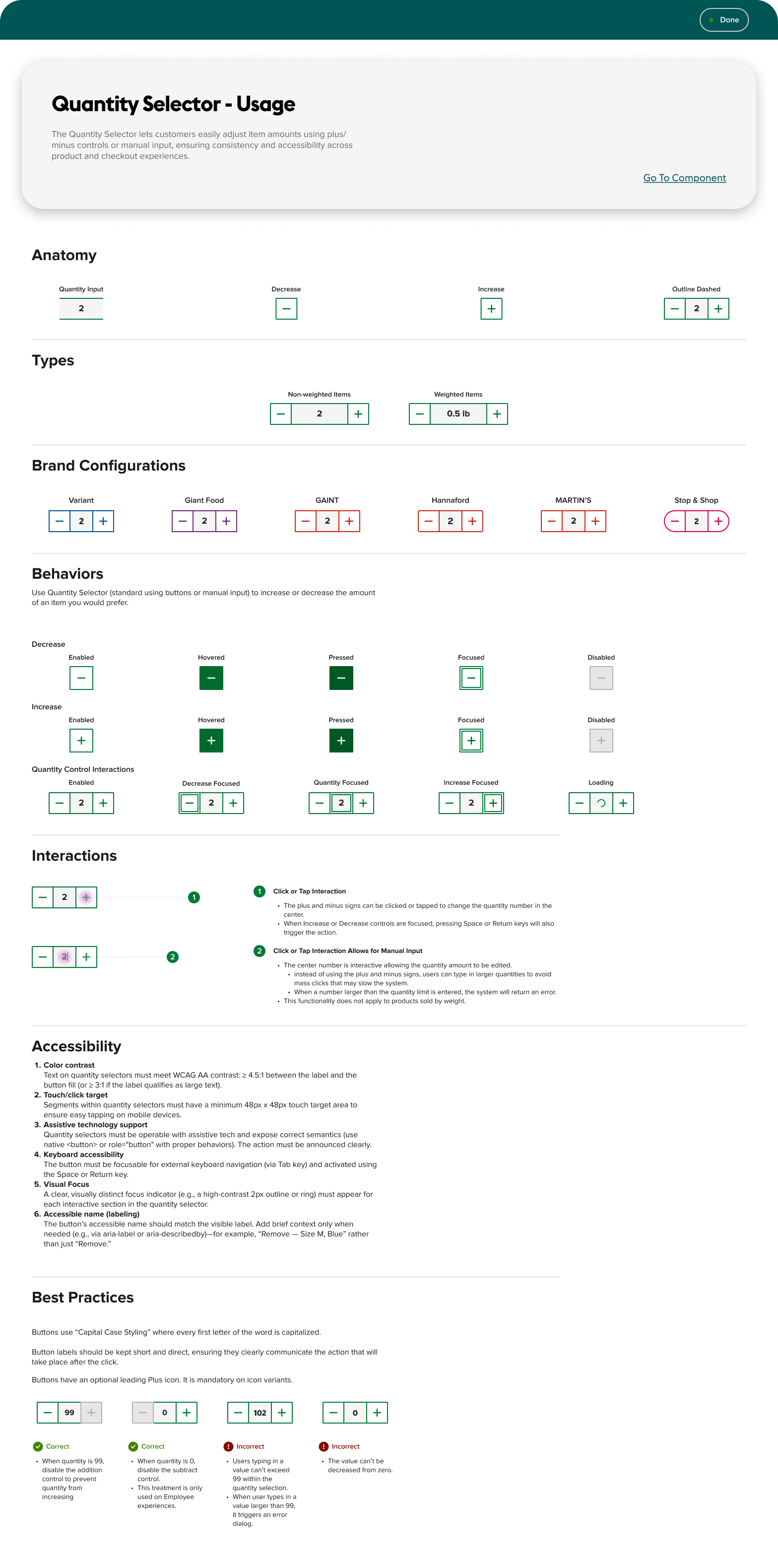
A closer look at components I built end to end: anatomy, every state, brand themes, accessibility rules and usage guidelines.
Quantity Selector
I built the control shoppers touch on every product and in every cart, so the edge cases mattered as much as the happy path.
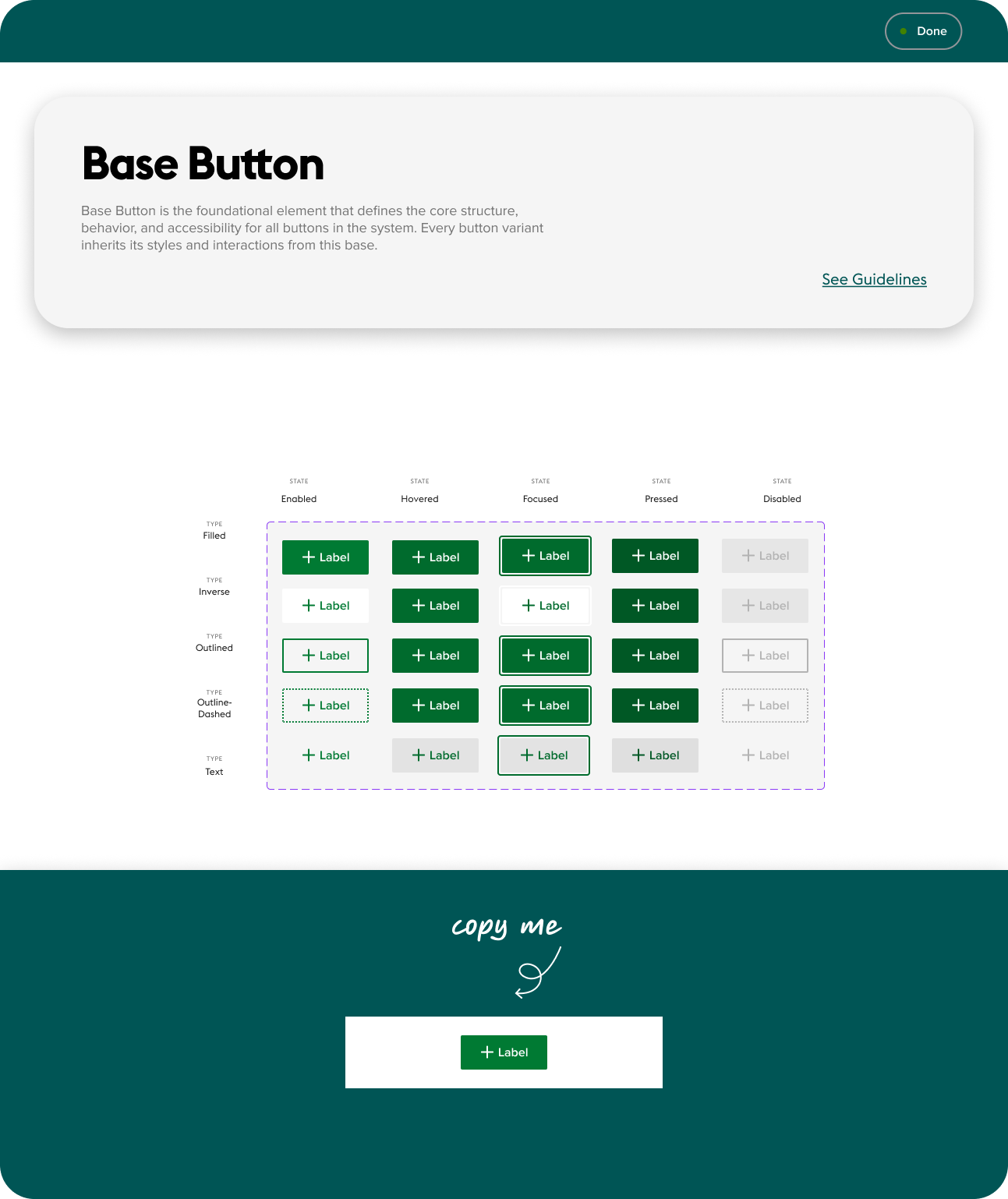
Base Button
Five types (Filled, Inverse, Outlined, Outline-Dashed and Text) across five interaction states: 25 variants, all inheriting from a single base.
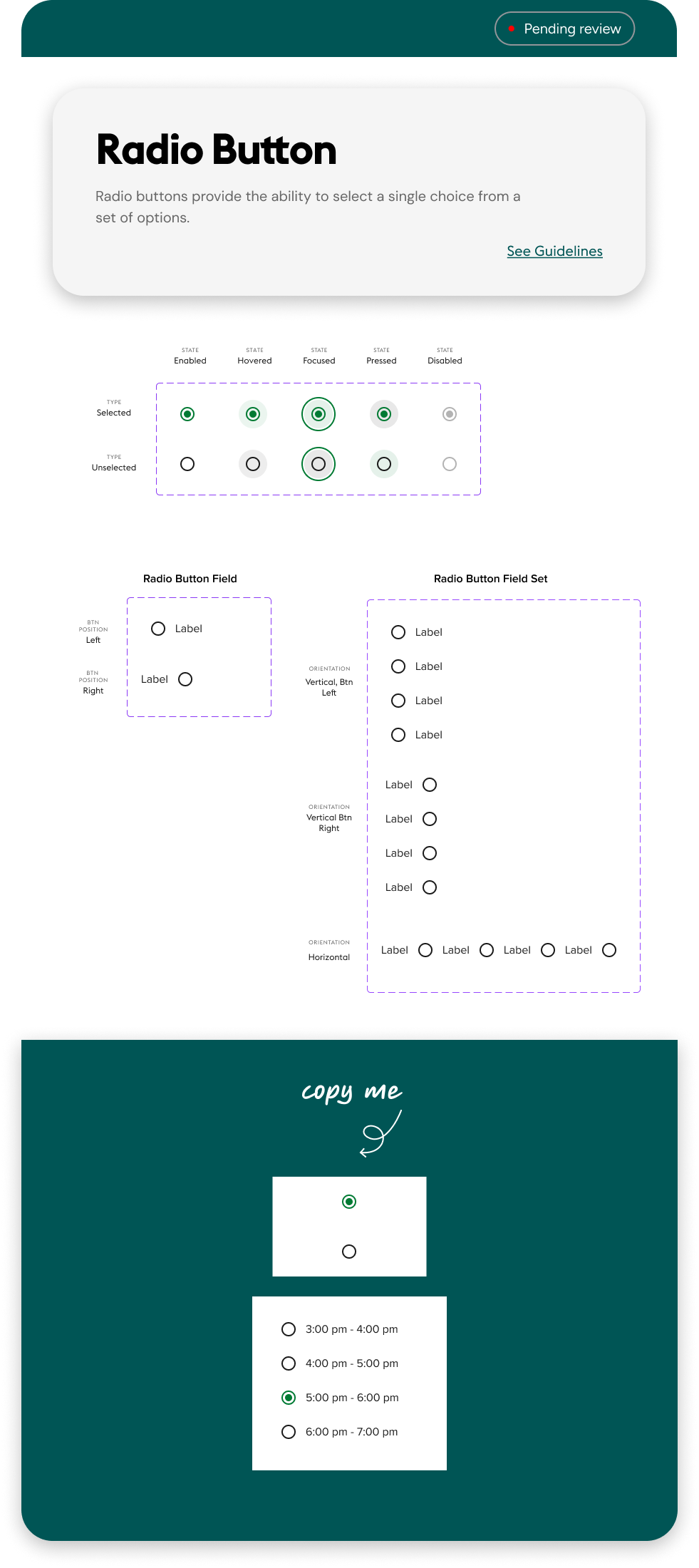
Radio Button
Selected and unselected across every state, single fields with the button on the left or right, and field sets in vertical or horizontal layouts.
07
Documentation
Every component gets the same page structure, so designers know exactly where to look:
Plain-language summary
What the component is for, in a sentence or two.
Status tag
“Pending review” or “Done,” so teams know what's ready to use.
Full guidelines
Usage rules one click away, not buried in a separate file.
“Copy me” instances
Ready-to-use examples with real content, like delivery time slots.
08
Collaboration
I work alongside two other experience designers, three product managers and five engineers in an agile process. Each component starts with user analytics, which show where shoppers struggle and which patterns teams need most. From there it moves through design crit sessions with my fellow designers and user testing to validate it with real shoppers before it's marked Done. I partner with engineers throughout, from early feasibility checks to handoff and build review, so what ships matches what's in the library.
The outcome
One shared foundation for five brands
The Universal Design System gives Stop & Shop, Food Lion, Hannaford, Giant and The GIANT Company a single, accessible source for building across web, iOS and Android. The components I built are already live on Stop & Shop.
Consistent across brands
Every brand shares the same structure, states and behavior. Only the brand layer changes.
Accessible by default
WCAG AA contrast, 48 × 48px touch targets and full keyboard support are built into every component, not added later.
Better CMS templates
New and improved templates are visually enhanced and fix accessibility issues, so marketing teams can update content without a code release.
One source of truth
Usage guidelines, status tags and ready-to-copy examples mean designers and engineers build from the same library.